

Placing an Order
- Once signed in, you can browse, select, and purchase products quickly through our streamlined ordering process.
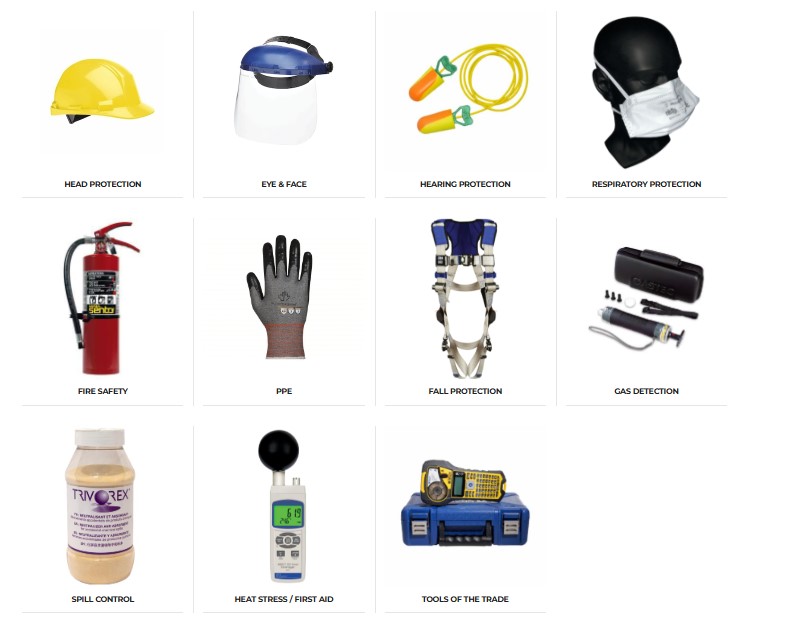
1. Browsing Products
- Navigate through product categories under Shop.
- Use Fast Track to access our in-stock, ready-to-ship top-selling products and associated instruments.
- On a product page:
- Select your Quantity (QTY).
- Choose your Unit of Measure (U/M) if applicable.
- Click Add to Cart to proceed with your purchase.
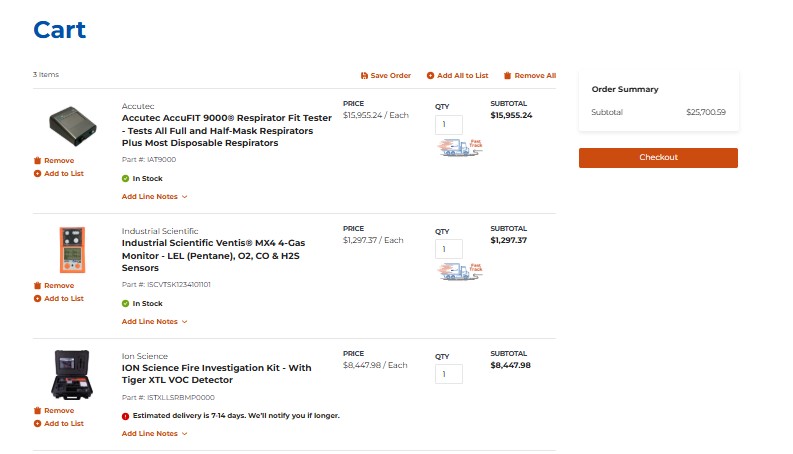
2. Reviewing Your Cart
- Access your cart anytime by clicking the cart icon in the top-right corner.
- Review product details, quantities, and pricing.
- Make changes by updating QTY, removing items, or saving items to a list.
- When ready, click Checkout.
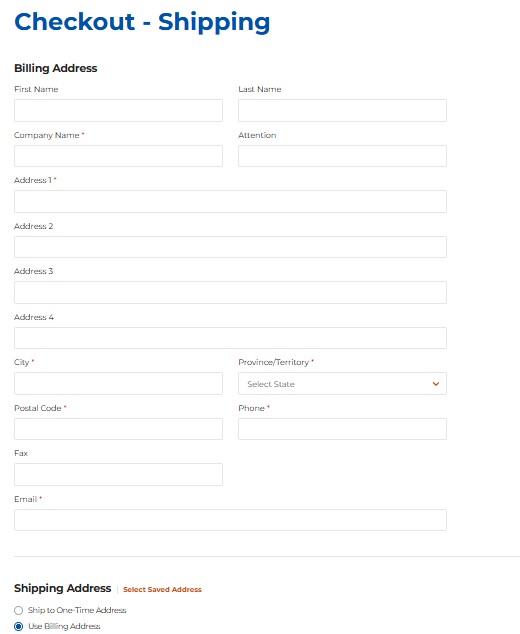
3. Shipping Information
- Select a Saved Address associated with your account or choose Ship to One-Time Address if shipping to a new location.
- You may also use your Billing Address as your shipping address.
- For new shipping addresses, contact [email protected] to have them added to your account.
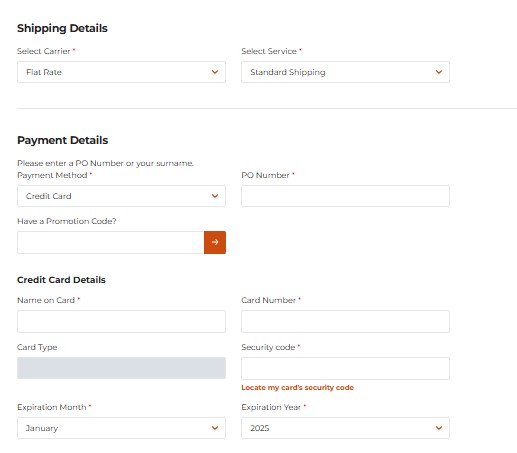
4. Review & Submit Order
- Shipping Details: Choose your preferred carrier and service type.
- Payment Details: Select your payment method and enter a Purchase Order (PO) number.
- Apply any promotion codes if applicable.
- Review your Order Summary to confirm all details.
- Click Place Order to complete your purchase.
Tip: For repeat orders, consider using My Lists to save time (see Using Lists section for details).