

Account Registration and Login
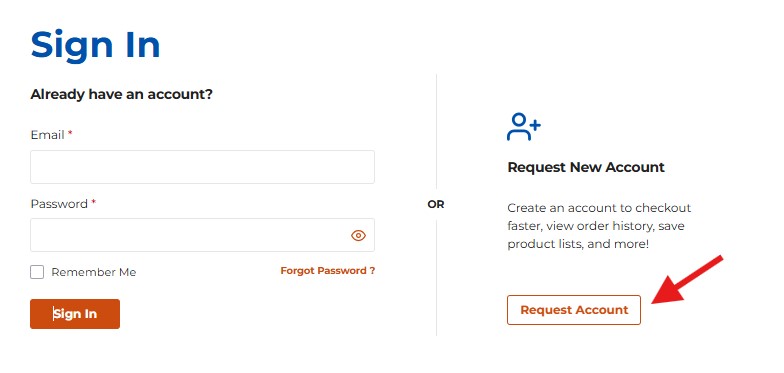
1. Logging In
- Click Sign In at the top right corner of the website.
- If you already have an account, enter your Email and Password, then click Sign In.
- Use Forgot Password if you need to reset your credentials.
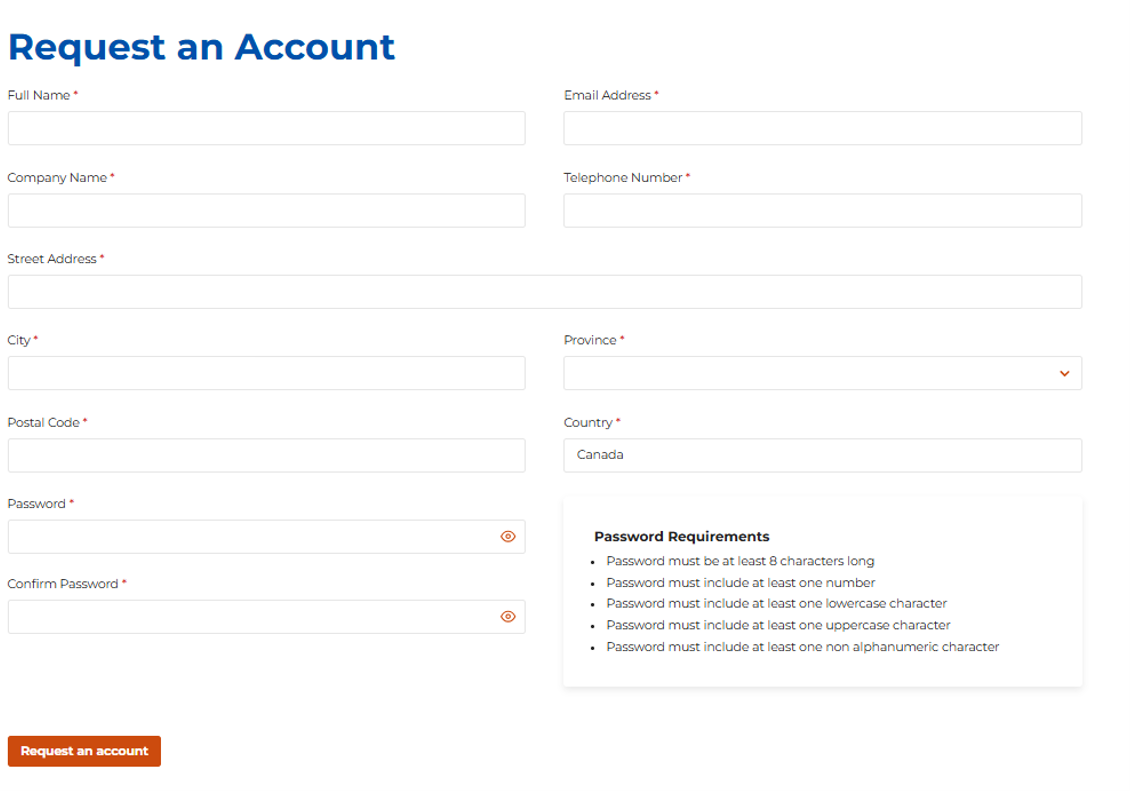
2. Creating a New Account
On the Sign In page, click Request Account.
Complete the Request an Account form with accurate details to avoid delays.
Required fields include:
- Full Name
- Email Address
- Company Name
- Telephone Number
- Address (Street, City, Province, Postal Code, Country)
- Password and Confirmation
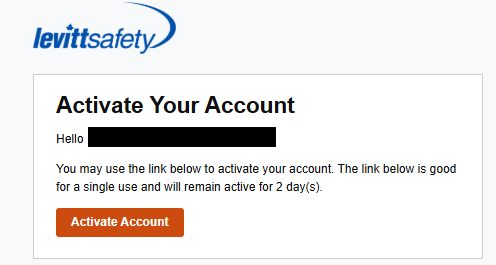
3. Activating Your Account
- Once your request is processed, you will receive an Account Activation Email.
- Click Activate Account to complete your registration.
- The activation link is valid for 2 days and can only be used once.
Have any questions? Reach out to us at [email protected]